
Player Controllers Presets
The management of the user's basic inputs and interactions with the application is done from this class, which varies depending on whether it is inside or outside. Likewise, we have centralized the common functionalities in the class IdealTwinBasePlayerControllerfrom which the other two are derived.
IdealTwinBasePlayerController
Default components
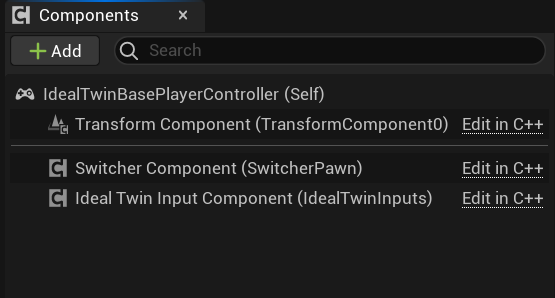
By default this class and its derivatives will have the component of SwitcherPawnComponent to be used by the classes of IdealTwinBaseCharacter and the
which will allow you to assign the already integrated inputs.
Interaction with elements on the level
The base player controller implements a cursor interaction system to handle user clicks on the screen and get information in a simple way. The class already handles ray tracing to determine if there is collision with any actor to implement the interface. IdealTwinInteractionInterface.
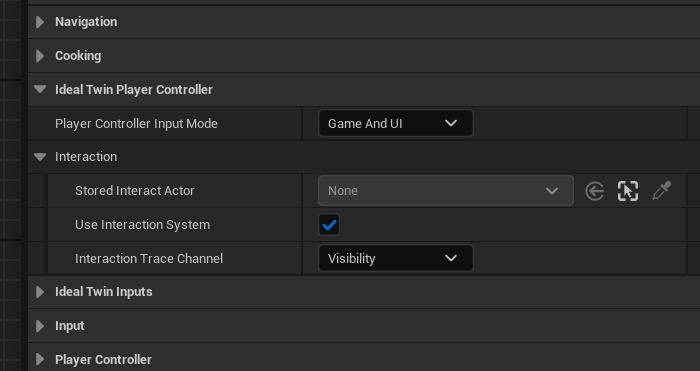
In the Details>IdealTwinPlayerController>Interaction we can find the configurations that we can touch and do
Properties | Description |
|---|---|
Stored Interacted Actor | The last Actor that is being detected to interact with it will be stored in this variable to be able to manage it. If the value is nullptr means that no interaction is possible. |
Use Interaction System | If it is true the player controller is going to do the internal assignment with |
Interaction Trace Channel | Trace Channel to be used to detect the collision and then perform the interface check |
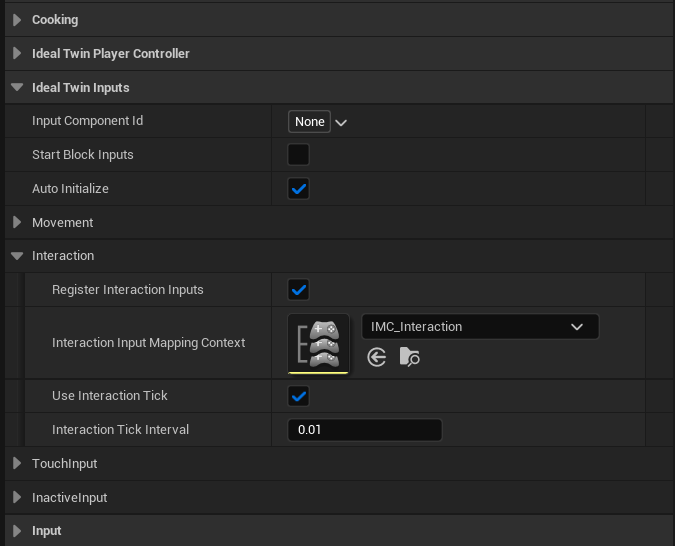
It is important to note that tick verification for interaction is carried out in the IdealTwinInputComponent. This implies that the player controller must have the tick enabled and that any management of this must be done through the component. However, these settings are available directly in the class, under Details > Ideal Twin Inputs> Interaction.
IdealTwin Player Controller Outdoor

This class is implemented in Blueprint and, if you wish to modify it, it is recommended to make a copy of the current implementation of the class.
In addition to the above-mentioned functionalities in the player controller for outdoor maps, the capability to select UnitVolumesActor by means of the interaction system and selection management using the IdealTwinUnitsVolumeManager.
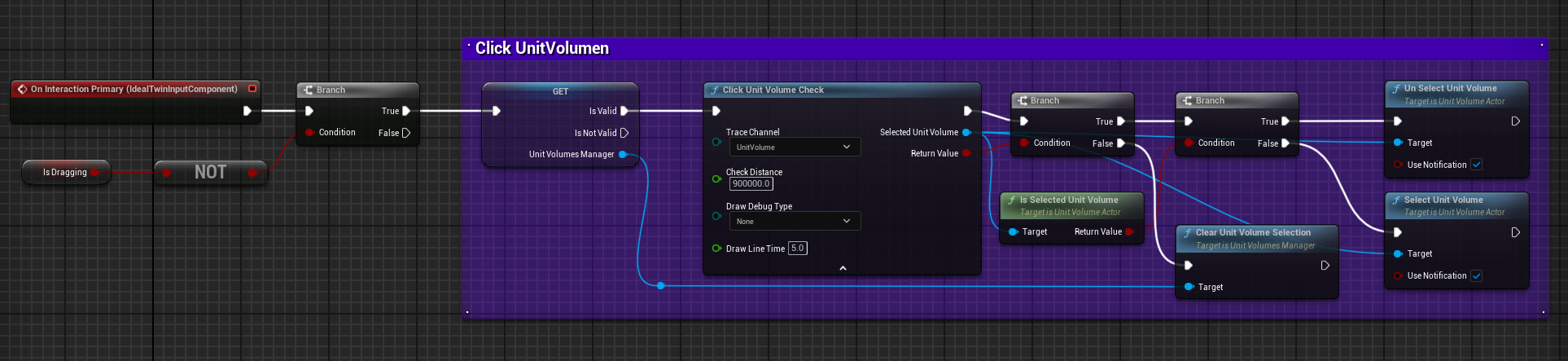
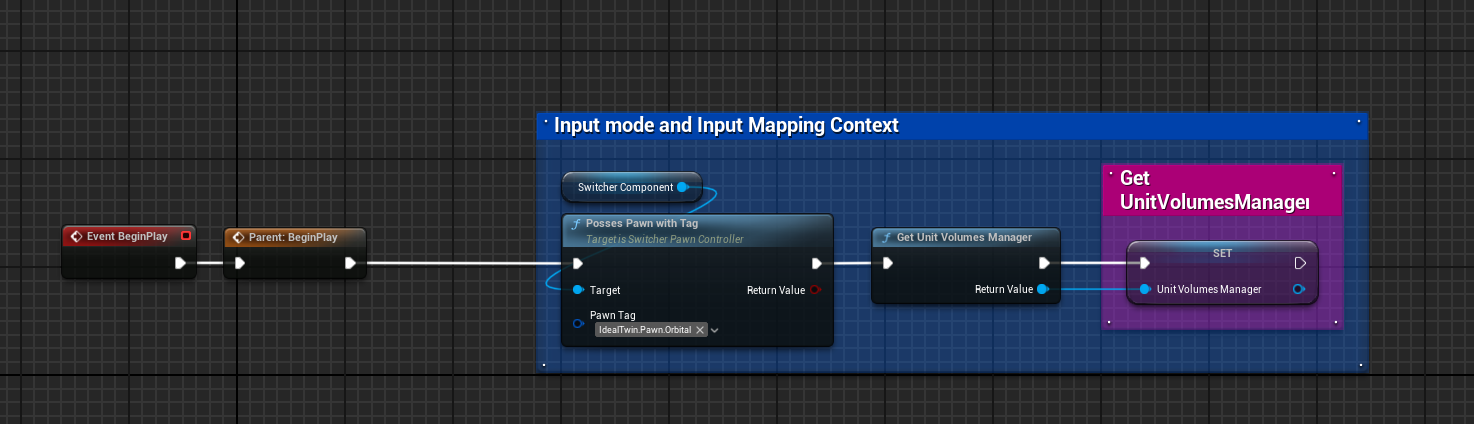
To make the pawn possession in the world it will use the component of SwitcherPawnComponent and give priority to the Orbirtal pawn using the tag IdealTwin.Pawn.Orbital.
IdealTwin PlayerController Interior
This class is implemented in Blueprint and, if you wish to modify it, it is recommended to make a copy of the current implementation of the class.
In the case of indoor levels the priority for pawn possession will be for the IdealTwin.Pawn.Walk as the first view. However, in these types of levels it is also common to make a configuration in which an orbital view is used.
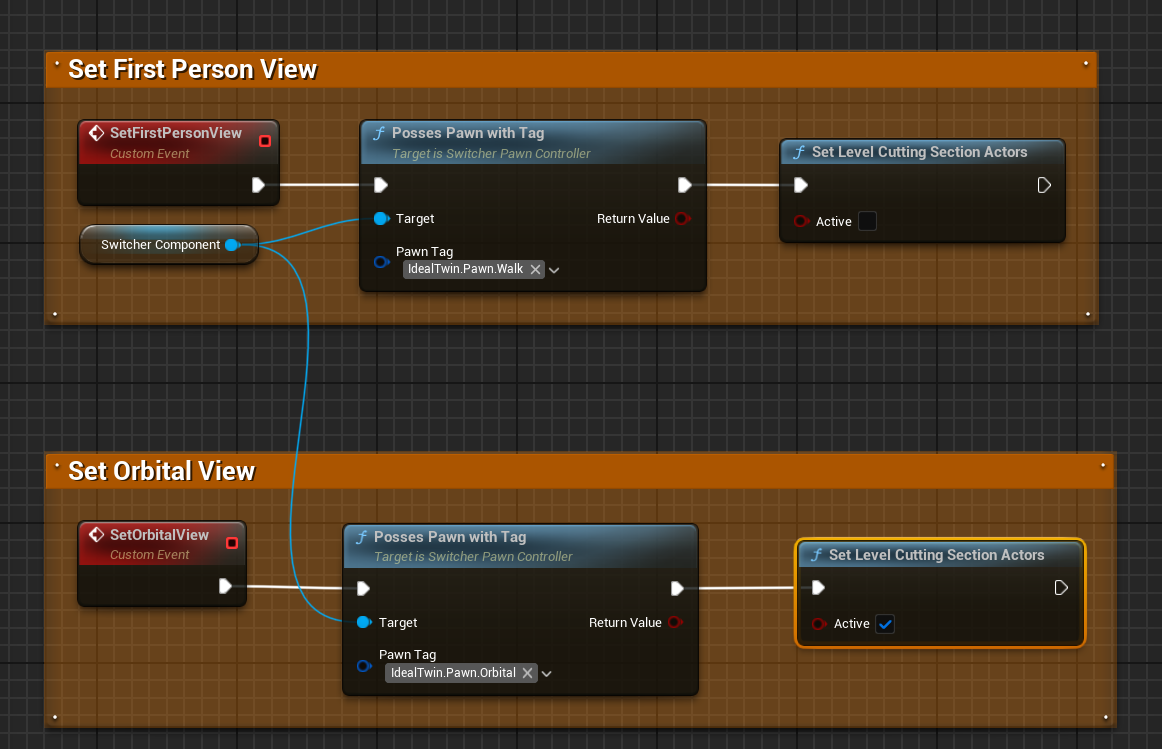
If you also wish to use the CuttingVolume when switching pawns, the cuts will be activated and deactivated to allow a clear view of the space.