UnitsVolumeManager
The Unit Volume Manager is the main actor in charge of coordinating all the Unit Volume Actors present on the level. Its purpose is to manage the information coming from the web, as well as the operations related to the selection and visualization of volumes. Its use is common in outdoor maps, where it is common to display UnitVolumeActor to represent specific properties or units.
Data synchronization with the web
One of the main tasks of this actor is to synchronize the data coming from the web with the volumes in the layer.
Request for information: The Unit Volume Manager request data to IdealTwinRequestManagerwho makes the request to the web or provides the data locally.
Data assignmentOnce the data have been obtained, the Unit Volume Manager iterates over the volumes, assigning the information to each unit using its unique identifier.
Consultation of updated informationAfter the assignment, the Unit Volume Actors contain the updated information, allowing other systems to access this data directly from the stakeholders.
Volume display
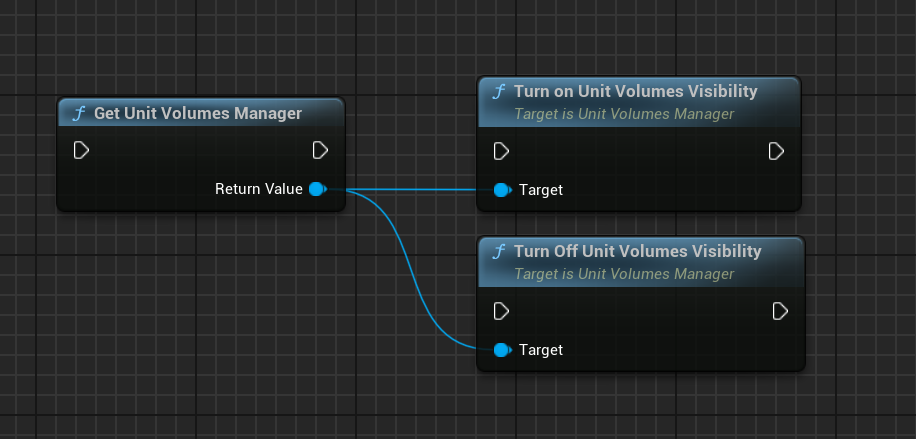
Although the Unit Volume Actors can be managed on an individual basis, the UnitVolumeManager centralizes the visibility control of all volumes on the level. This is especially useful for global functionalities, such as:
Show/Hide volumesThe filter panel uses this capability to toggle between a clean view and one that includes all volumes.
Control from any systemAny system or blueprint can access the Unit Volume Manager at the level to manage the visibility of volumes.
To interact with the Unit Volume Manager from Blueprints you must obtain the reference to the Unit Volume Manager of the level and use the exposed functions to control visibility or apply global settings.
Unit selection
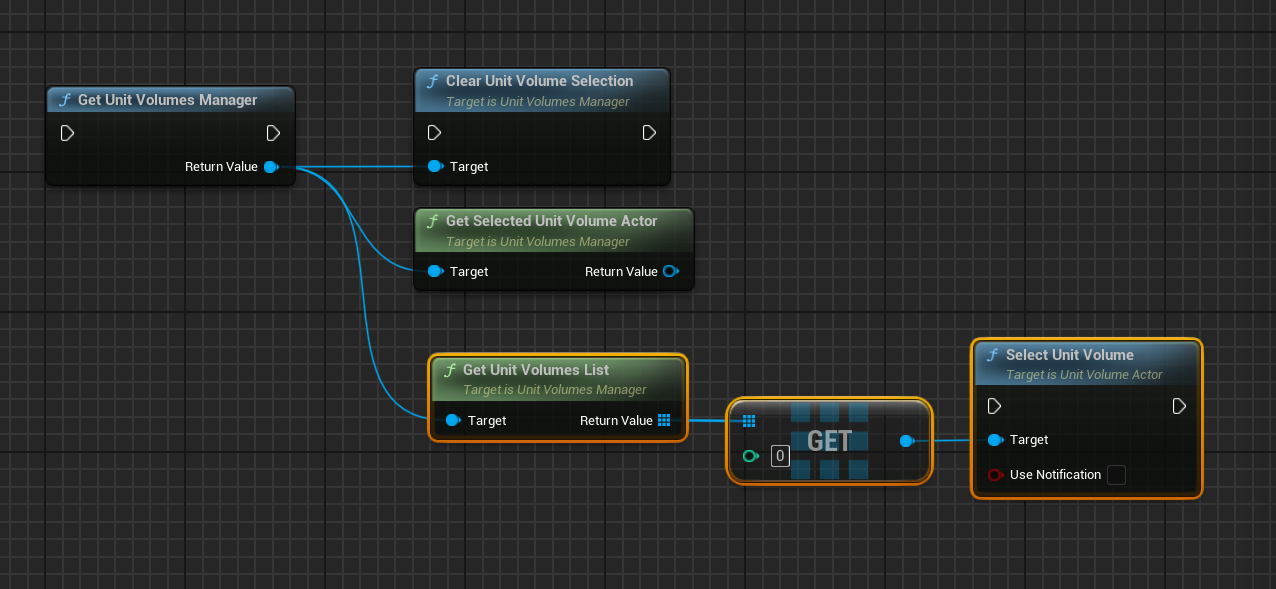
The Unit Volume Manager centralizes the unit selection logic. This allows multiple systems to react to the selection, enabling actions such as:
Display detailed information of the selected unit.
Apply specific configurations or start processes dependent on the selected unit.
This functionality ensures that the selection is consistent and available for all panels or subsystems that need it.
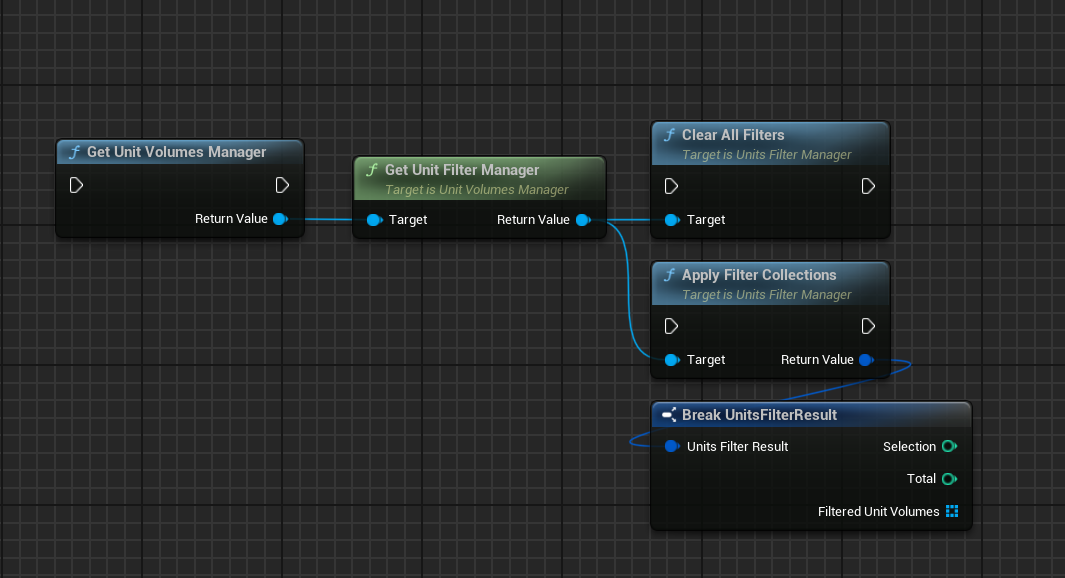
Filter management
The UnitVolumeManager integrates a IdealTwinFilterManager by default. This system allows:
Filter applicationFiltering data, usually from the web, determines which volumes should be visible.
Visibility update: The
UnitVolumeManagerautomatically hides the volumes that do not meet the criteria of the applied filter.
This integration facilitates the use of the filter panel, allowing dynamic and centralized management of unit visibility.
The synchronization of filters ensures that only relevant units are displayed, optimizing the user experience.