Configurator Budgets
Log in to IdealTwin
Select the company of the promotion with configurator
Select "Budgets" from the side menu
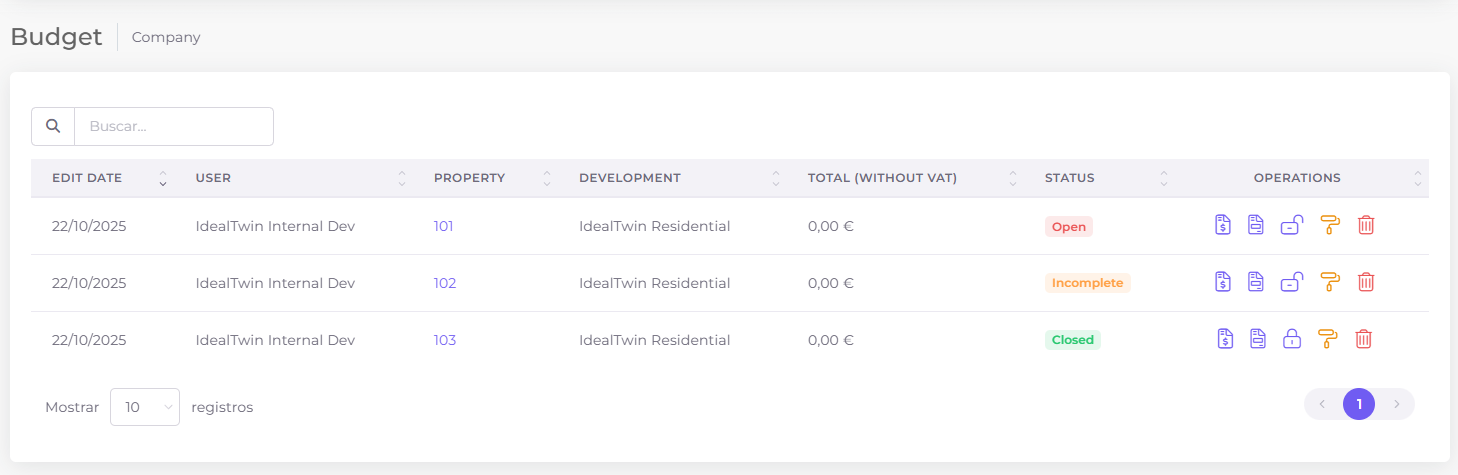
It will show the list of configurations that the different owners have made.


Configurator Budget Status
The states vary depending on the actions taken by the homeowner:
Estado | Descripción |
|---|---|
 | All products have been selected. The owner has not closed the configuration |
 | Partial selection. Some products selected but not all |
 | All the products have been selected and the configurator has been locked up. |
In all cases, the homeowner can edit their product selection except if it is marked as

To allow the homeowner to edit a locked setting, it must be unlocked using the button